


Add Graphically
Add Graphically
The "Add graphically" button turns on the mode of graphical input. The mouse mask changes to an axes cross, and using the left mouse button, it is possible to add the required object. For example, when adding anchors, by clicking on the desktop, the initial and end point of the anchor are input. After inputting the second point, the program opens a dialog window. From now on, the process is the same as described in the chapter "Add".
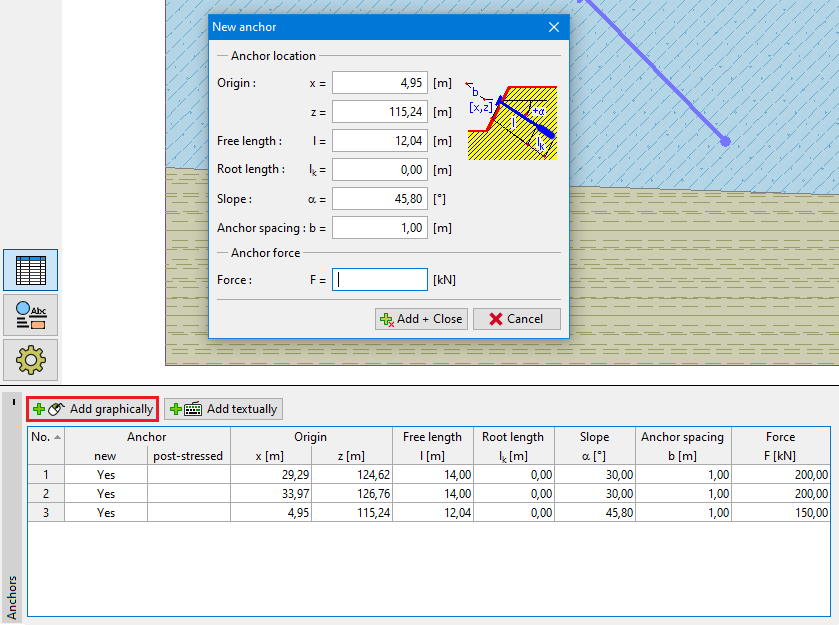 Graphical input mode