


Structure
In this section can be found settings that relate to the design rules used in the program.
The setting "Modify eccentricity of vertical webs in hip detail" allows to select automatic tilting of the verticals leading to the hip detail if the intersection of the lower edges of the upper chords is outside the original position of the vertical web. In such cases, only one chord would be in contact with vertical web end which complicates the design of the nail plate. Therefore, the program moves the upper end of the vertical web so that the intersection of the lower edges of the chords meets the axis of the vertical web. These situations occur mainly when the dimensions of the rafter and horizontal top chord in the hip detail differ significantly.
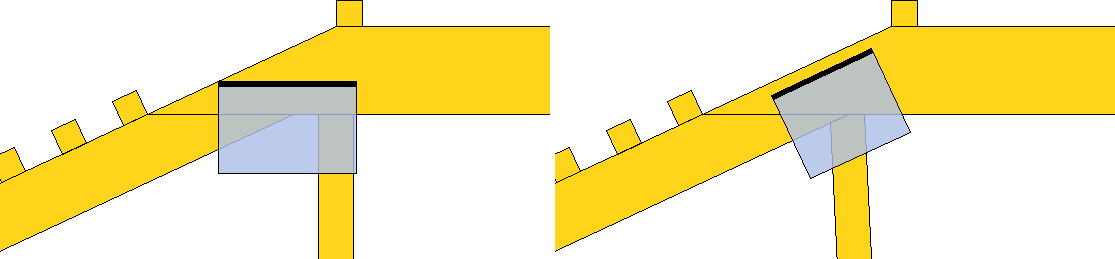 Hip detail without and with modified eccentricity of vertical web
"Web eccentricity in support" allows the user to adjust the default eccentricity of the web in the supported joints on the bottom chords, which contain a single web. The position of the web is set using a dimensionless coefficient that can take values in the range <0; 1.0>. The coefficient represents the eccentricity of the web connection expressed as a proportion of the chord depth. The eccentricity is measured from the bottom edge of the chord. Thus, a value of 0 means that the web axis intersects the bottom edge of the chord at the joint mark. A value of 0.5 corresponds to the situation where the web axis intersects the bottom chord axis exactly above the joint mark. This web arrangement does not create additional bending moments which may negatively affect the stress in the bottom chord. This is the default value. If a value of 1.0 is specified, the axis of the web crosses the top edge of the chord directly above the joint mark. The setting affects the default behavior of the webs in all supported joints with a single web. If a different behaviour needs to be selected in each joint, the eccentricity needs to be adjusted in another way, for example in the member properties.
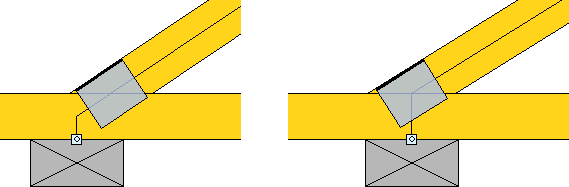 Details with the default eccentricity 0.5 and 1.0
If the setting "Characteristic values in metalwork database" is checked, the program considers the load capacities entered in the metalwork database as characteristic values and automatically converts them to design values during the design. In the case of the EN 1995-1-1 design standard, this conversion consists of multiplying by kmod and dividing by the material factor γM. Otherwise, the specified load capacities are considered as design values and are directly compared with the forces transferred in the detail.
The "Offset of edge verticals" value allows to move the edge verticals inside the truss by the specified value. The top and bottom chords of the truss are not shortened, so the length of the truss as such is not affected. This offset is particularly advantageous in cases where the truss has to be shortened on site due to inaccuracies in the substructure. In this case, it is sufficient to shorten only the top and bottom chords. The normal value of the offset is up to 50mm. The offset value for the entire structure or truss can be entered here. In the "Member Properties" tab "Profile" this value can be adjusted for the individual member.
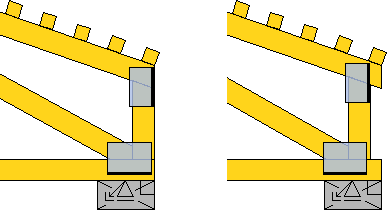 Edge vertical without and with offset
If the setting "Update topology during automatic design" is enabled, the program continuously changes the position of the collar beam during design so that the specified height of the attics is respected between the collar beam and the top edge of the bottom chord.
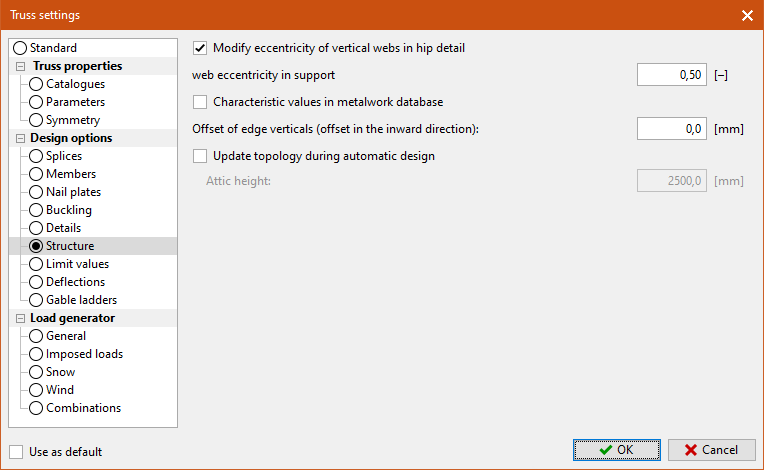 Part "Structure"